
How to List Property for Rent in Malaysia for Free
Listing your property for rent in Malaysia is free — no agent commission, no platform fee. You need four things: photos of the unit, basic property details, a realistic rent price, and five minutes. SPEEDHOME’s listing tool walks you through address, unit type, photos, and pricing, then publishes your property to active tenants searching in your area. Here’s exactly how.
What “free property listing” actually means in Malaysia
Free listing means you pay nothing upfront to advertise your property. You’re not paying an agent 1–1.25 months rent before a single inquiry comes in.
The Malaysian rental market has traditionally run through property agents. An agent finds the tenant, collects a commission, and hands over after signing. On a RM1,800/month unit, that’s RM1,800–RM2,250 paid before the tenancy even starts — and the agent’s job ends there.
Free listing platforms remove that upfront cost. But “free listing” isn’t universal across platforms:
- Some sites charge landlords for featured or boosted placement
- Some charge a commission after the tenancy is signed
- SPEEDHOME’s listing is free. SPEEDHOME earns through optional landlord service plans — the listing itself costs nothing.
If you’re still deciding whether to list yourself or use an agent, read the full breakdown in our honest comparison of property agents vs SPEEDHOME before you continue.
What you need before you create your listing
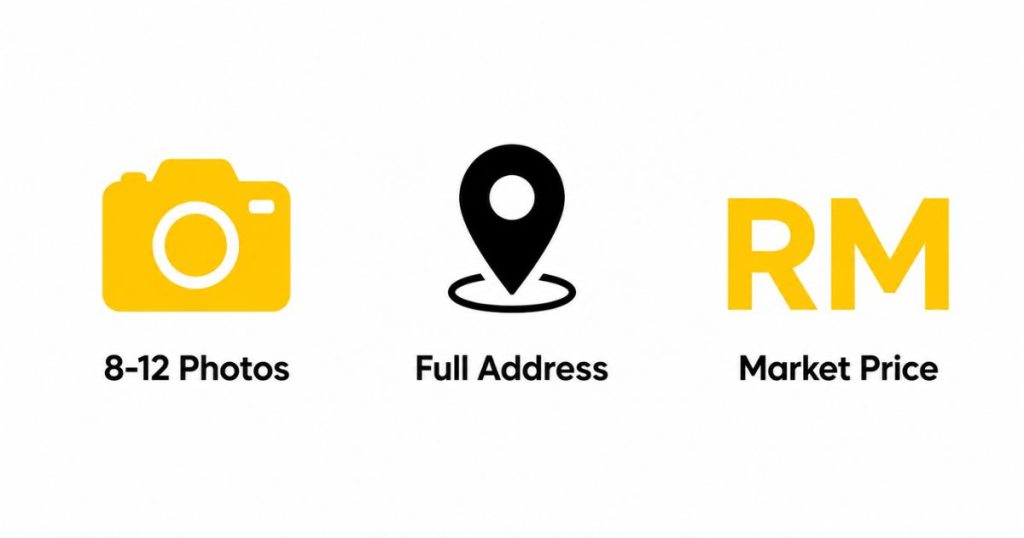
Three things: photos, your unit’s basic details, and a rent price. That’s it.
Photos
Take 8–12 clear shots — main bedroom, additional bedrooms, living room, kitchen, bathroom, and building exterior. Use natural light. Remove clutter first. Phone camera is fine. A listing with 8 sharp phone photos gets more inquiries than one with 2 blurry ones.
Unit details
- Full address (including postcode)
- Property type: apartment, condo, terraced house, semi-D, studio
- Number of bedrooms and bathrooms
- Furnishing level: fully furnished, partly furnished, or unfurnished
- Floor area (if known)
- Facilities: parking, gym, pool, security — include what’s relevant
Rent price
Check 3–5 comparable units in your building or street on PropertyGuru or iProperty. Price within 5% of the mid-range to get serious inquiries within the first two weeks. Pricing guidance is in the section below.
How to create your free listing on SPEEDHOME
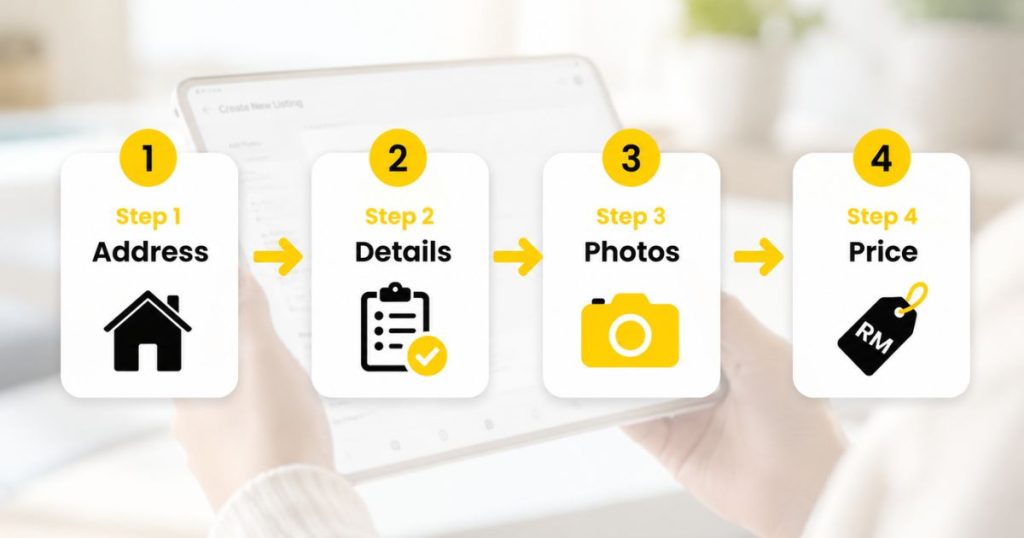
SPEEDHOME’s listing wizard has four steps. Start at speedhome.com/post-rent/property-address and you’ll be done in under 10 minutes.
Step 1 — Property address
Enter your full address. If your building name doesn’t autocomplete, enter your postcode first — SPEEDHOME’s lookup is postcode-anchored, then filters by building name within that postcode.
Step 2 — Property details
Select property type, number of rooms, bathrooms, furnishing level, floor area, and available facilities. Use the description field to name the nearest MRT or LRT station and walking time — tenants filter by commute, and this shows up in search results.
Step 3 — Photos
Upload your photos. Minimum 8 — listings with fewer photos rank lower in SPEEDHOME search results. Lead with the main bedroom or living area — that’s what tenants look at first.
Step 4 — Rent and availability
Set your asking rent and the date the unit is available from. You can adjust the rent after publishing if inquiries are slow — there’s no lock-in period. Then publish.
Your listing goes live immediately. Tenants searching in your area see it on the SPEEDHOME app and website. You’ll get inquiry notifications directly to your phone.
How to price your rental correctly
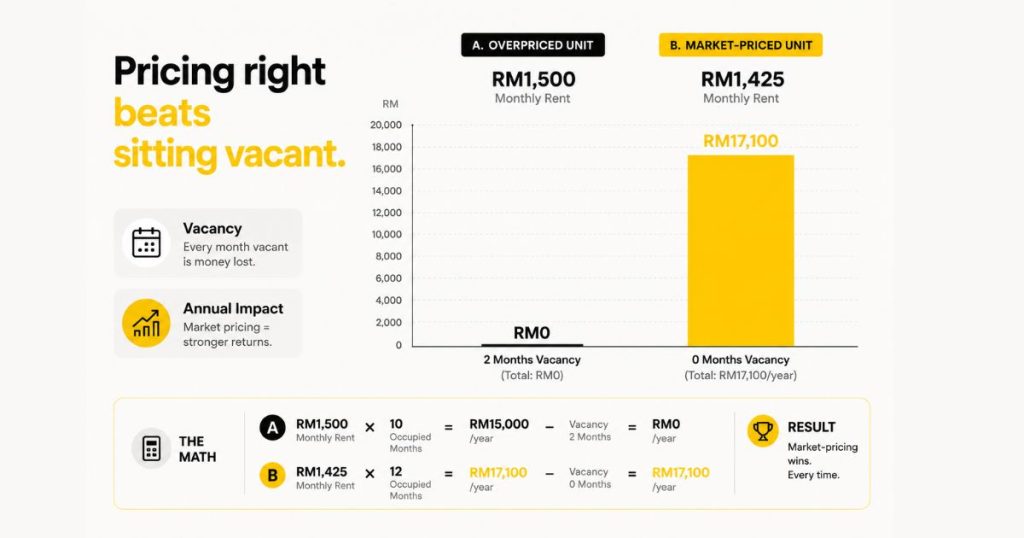
Check what comparable units in your area are actually renting for — not what they’re listed for. A unit that’s been on the market for three months is overpriced.
How to find the right number:
- Search PropertyGuru and iProperty for your building name or area, filtered by room type
- Look at units marked as “rented” or recently updated — those reflect current market, not wishful asking prices
- Cross-check against active SPEEDHOME listings in your area at our Malaysia rental listings guide
The vacancy math matters: on a RM1,500/month unit, one empty month costs RM1,500. Dropping rent by RM75/month for a 12-month tenancy costs RM900 total. Getting the price right from the start is cheaper than sitting vacant.
Mass-market units in the RM1,000–RM2,500 range rent fastest when priced at or slightly below market. Above-market pricing in this range adds 4–8 weeks of vacancy with no yield gain.
What makes a listing get more inquiries
Photos and price drive the majority of inquiry volume. Landlords who don’t get an inquiry within two weeks are almost always overpriced, have fewer than 4 photos, or both. These details convert the rest of the browsers into serious applicants.
Title: Be specific. “3BR Condo Cheras, 5 min walk to MRT Taman Connaught” beats “Nice condo for rent Cheras.” Tenants search by location and commute, so name both.
Furnishing: State it clearly and list what’s included. “Fully furnished: queen bed, sofa, dining set, fridge, washing machine, air conditioning” converts better than “furnished.”
Rules upfront: If you don’t allow pets or smoking, state it in the listing. It saves both parties time and avoids awkward conversations after a viewing.
Availability date: Tenants plan their move 3–6 weeks ahead. A clear available-from date gets more qualified inquiries than “available soon.”
What happens after your listing goes live
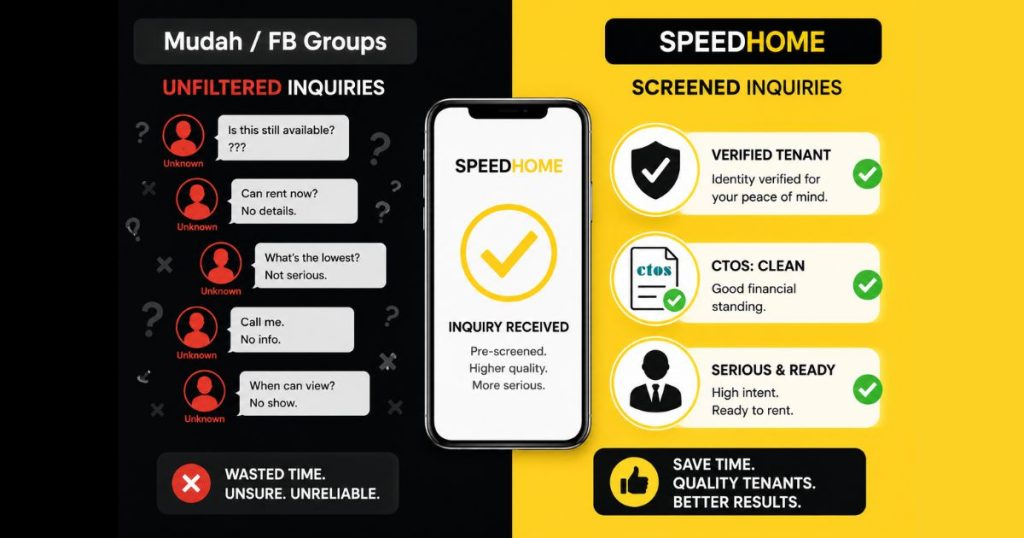
You’ll receive tenant inquiry notifications through the SPEEDHOME app. SPEEDHOME screens incoming tenants — CTOS check, employment verification, rental history — before connecting them to you.
This is the practical difference between listing on SPEEDHOME versus posting on Mudah or a Facebook group. On those platforms, any inquiry comes through unfiltered — no way to know if the person is employed, has a payment default history, or has been flagged by a previous landlord. On SPEEDHOME, the screening result comes attached to the inquiry.
The process after your listing is live:
- Tenant submits an inquiry — SPEEDHOME runs their screening in the background
- You receive the inquiry with the screening result
- You approve or decline a viewing
- If you want to proceed, the Tenancy Agreement is handled digitally through SPEEDSIGN — no printing, no courier, stamps paid online
For a deeper look at how the full landlord process works from listing to tenancy, read our guide on how to rent out your house in Malaysia.
Ready to post your listing? It’s free. Start at speedhome.com/post-rent/property-address — you’ll be done in under 10 minutes. Not sure whether to go with an agent or list yourself? Read the honest comparison first.
FAQ
Is listing my property on SPEEDHOME really free?
Yes. Creating and publishing your listing costs nothing. SPEEDHOME offers optional landlord service plans, but the listing itself has no fee, no boost charge, and no commission on the listing.
How long does it take to get my first inquiry?
Most listings in active rental areas — KL, PJ, Subang, Cheras, Cyberjaya — get their first inquiry within 1–3 days if the price is at market rate. Higher rent brackets or slower-moving areas can take 1–2 weeks. If you haven’t received an inquiry in two weeks, the price is usually the issue.
What screening does SPEEDHOME do on tenants?
SPEEDHOME runs CTOS checks, employment verification, and rental history checks before connecting a tenant to a landlord. You see the screening result before deciding whether to approve a viewing.
Can I list on SPEEDHOME and use an agent at the same time?
Yes. There’s no exclusivity. Some landlords list on SPEEDHOME to generate direct screened inquiries while an agent works in parallel. If SPEEDHOME finds a tenant first, you’ve saved the agent commission.
What’s the difference between listing on SPEEDHOME and listing on Mudah or PropertyGuru?
Mudah and PropertyGuru are classified listing sites — they pass inquiries through without tenant screening. SPEEDHOME screens tenants first and handles the Tenancy Agreement digitally through SPEEDSIGN. See the full agent vs SPEEDHOME comparison for the breakdown.
Do I need to be physically present to manage the listing?
No. You can create and manage your listing entirely through the SPEEDHOME app. Inquiries, screening results, viewing approvals, and the digital Tenancy Agreement are all handled in-app.