
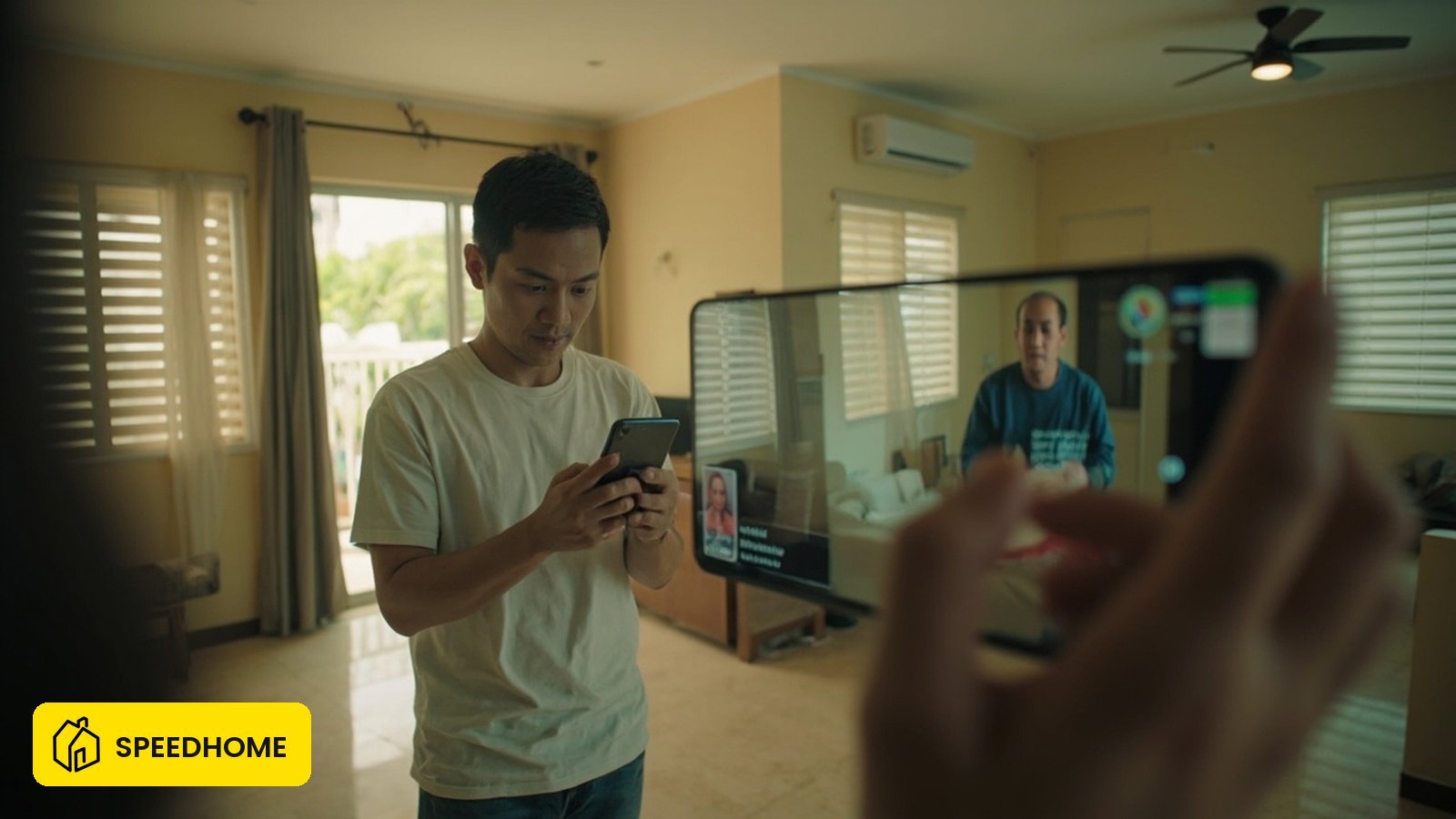
Virtual viewing is a live, evidence-grade walkthrough used to screen a serious tenant remotely
A virtual viewing is a scheduled, real-time, two-way video walkthrough of the actual rental unit, where the viewer can ask the host to open cupboards, run taps, and show the view from the window while the call is live. In one line: a virtual viewing is the live, cross-examinable proof that the unit, the host, and the price are real before anyone travels or pays.
SPEEDHOME operator data shows that listings whose viewing step happens inside the platform flow have a meaningfully lower first-month default rate than listings where the viewing is done off-platform over chat, on a platform that has now managed 30,000+ tenancy agreements across Malaysia (SPEEDHOME platform operating data, 2026). For a single property listing that comparison translates into a quieter first month and a faster recovery if the tenancy later turns bad — see the SPEEDHOME landlord flow for how the platform keeps the screening, viewing, offer, and agreement steps in one traceable chain.
Malaysian rental fraud has risen sharply. PDRM (Polis Diraja Malaysia) recorded rental scam cases climbing from 184 in 2023 to 922 in 2025, a ~400% jump, with RM2.5 million in reported losses (PDRM commercial-crime reports, 2023–2025; CCID, Bukit Aman). Most of those losses begin where a viewing should have been: a tenant paid a "booking fee" for a unit they never saw live, from a person they never verified. Virtual viewing closes that gap for both sides — but only when it runs inside a proper rental flow, not a casual chat.
This page is written for a landlord deciding how to run a virtual viewing safely. The same principles protect a tenant; for the tenant-side safety path, see the rental scam guide and how to verify a landlord and listing.
What is a virtual viewing — and what it is not
A virtual viewing is a scheduled, live, two-way video walkthrough of the real unit, where the viewer can ask the host to open cupboards, run taps, and show the view from the window in real time. Photo galleries, automated 360 spins, and forwarded video clips fail this test because they cannot be cross-examined by the viewer on the spot.
The screening value is in the live cross-examination. A photo can be cropped, reposted, or lifted from an old listing. A live call cannot: if a viewer asks you to show the meter reading, the actual floor plan, or the corridor outside, the response time and content reveal whether the unit is real and whether the host genuinely controls it.
| Format | What it is | Screening value | Scam risk |
|---|---|---|---|
| Live video call (virtual viewing) | Real-time two-way walkthrough of the real unit | High — viewer can direct the camera | Low if the host is verified |
| Pre-recorded tour | One-way video, no live control | Medium — shows the unit but cannot be cross-examined | Medium — can be reused or stolen |
| 360 / auto-spin | Interactive but pre-rendered | Low to medium — static imagery | Medium — easy to lift from another listing |
| Photo set only | Static images | Low | High — the easiest format to fake |
| Chat-only description | No imagery | None | Very high — no evidence at all |
A practical test: a serious applicant will reschedule a missed live slot within 24 hours; a scam-pattern contact will either push the deal onto plain chat or quietly disappear when you insist on a live call. The first response is a green light; the second is a stop.
Live virtual viewing vs pre-recorded or photo-only: when each wins
Run a live virtual viewing when the tenant is remote, time-pressured, or you want to test seriousness before committing a physical slot. A pre-recorded tour works as a first filter only — it cannot stand alone as the decision evidence, because the decision evidence must be cross-examinable.
| Decision factor | Live virtual viewing | Pre-recorded / photo-only |
|---|---|---|
| Tenant is interstate or overseas | Best fit — saves a wasted trip | Useful as a teaser, not the proof |
| You want to screen seriousness | Strong — a no-show reveals low intent | Weak — anyone can scroll photos |
| Time pressure on either side | Fits — 15–20 minutes, no travel | Fits — but proves little |
| Confirming actual condition | Yes — run taps, show meters, defects | No — condition is asserted, not shown |
| Protecting against a fake-listing claim | Yes — both sides hold dated live evidence | No — images alone are disputed |
| Final decision before paying | Required as part of the trail | Insufficient on its own |
Treat a quick "no, I will not join a live call" as a screening result in itself. You have just learned the applicant will not be cross-examined on the unit, the price, or the identity of the landlord — the three things that turn a viewing into evidence. Move on.
How to run a virtual viewing: the step-by-step
Prepare the route, run it live, and the moment it ends save the recording, the chat, and the agreed price — because the viewing is only useful as screening if its evidence survives the call.
- Confirm the viewer is a real applicant first. Use the platform's screening flow to collect identity and intent before booking the slot — the same checks covered in how to screen tenants in Malaysia. A verified applicant is worth your 20 minutes; an unverified chat handle is not.
- Schedule a fixed slot with a stated duration. 15–20 minutes is enough for a typical unit. State the date, time, and the video app in writing so the no-show pattern is visible. In Malaysia, WhatsApp video, Telegram voice/video, and Google Meet are the everyday tools — pick the one the tenant is already on, not the fanciest one.
- Walk a planned route, not a random pan. Entrance, living area, kitchen, all bedrooms, both bathrooms, balcony, meter cupboard, and the corridor or lift lobby outside. Consistency lets a serious tenant compare units.
- Show the live things photos cannot. Run the taps and shower, open and close cupboards, show the aircon remote working, point the camera at the actual view from the window, and read the meter and the unit number on the door.
- State price, deposit, and availability on the call. Say the rent, what the upfront amount covers, and the move-in date out loud while recording. Verbal-on-record closes the "the price was different" dispute before it starts.
- Save the recording, transcript, and any chat. Keep them with the tenancy file. If the deal later turns into a deposit or damage dispute, a dated walkthrough is the cleanest evidence of the unit's condition at offer stage.
A note on recording consent in Malaysia. Under the Personal Data Protection Act 2010 (PDPA 2010 — Section 6 General Principle and Section 7 Notice and Choice Principle, Personal Data Protection Act 2010, agc.gov.my), processing personal data — including a video of a counterparty — requires the data subject's knowledge and, in most tenancy scenarios, their consent. The PDPA is principally about personal-data processing; it is general guidance, not a substitute for tailored legal advice — confirm with a lawyer for your specific scenario. The safe practice on a virtual viewing is to state on the call, before recording starts, that the conversation is being recorded for the landlord's tenancy file, and to stop if the other party objects. A single all-party-consent line at the top of the call is enough to make the evidence usable later.
What red flags should stop the viewing (and the deal)
Stop when the viewer refuses to identify themselves, demands you send money or keys before viewing, asks to move entirely off the platform, or the listing you are showing has cropped photos with no unit number, street, or timestamp. None alone proves fraud, but several together should end the conversation.
These signs apply on both sides of the call:
- Pressure and urgency. "Pay the booking today or lose it" — pressure exists to stop comparison, not to help.
- Mismatched payment details. The account name does not match the landlord or management company on the listing.
- No viewing proof at all. A request for money before any live walkthrough is the classic pay-to-view scam pattern.
- Vague documents. A "tenancy agreement" that is a chat summary, or a refusal to put terms in writing.
- Refusal to use official channels. Insisting the whole deal happens in a private chat, with nothing recorded on the rental platform.
The stronger, safer position on both sides is to keep listing, viewing, offer, payment, and agreement inside one official rental flow. A genuine landlord can explain who owns or manages the unit, what the deposit covers, when the tenancy starts, and what happens if the unit is not delivered as promised.
What to document from the viewing
Document the live walkthrough itself, the agreed price and availability stated on the call, the identities of both parties, the move-in inventory, and any existing defect shown — because Malaysia rental disputes turn messy when the first agreement was too casual.
| Evidence type | What to keep | Why it matters later |
|---|---|---|
| The viewing | Recording, transcript, and the calendar invite | Proves the unit was shown and the condition seen |
| Money trail | Receipt, bank reference, and the name on the receiving account | Resolves "was it a booking fee or non-refundable?" |
| Unit condition | Dated photos or video of walls, floors, fittings, meters, and any defect | Resolves "was that scratch there before?" |
| Move-in inventory | A condition report listing every room, every fitting, and its state at handover (use SPEEDHOME's free inventory template if available) | The single biggest deposit-dispute vector in MY — without it, "the wall was fine when I moved in" is hard to disprove |
| Keys, access cards, parking | Count of keys, number of access cards, parking bay number, and any mailbox slot | Resolves "I only got one key" and lost-card claims, and prevents a renewal dispute over a missing access card |
| People | The official contact used during the transaction | Resolves "who actually promised this?" |
| Terms | Signed tenancy agreement and any written change after signing | Resolves "what did we actually agree?" |
A dated record is the difference between a five-minute conversation and a five-week dispute. If the matter escalates, the file is what a platform, lawyer, mediator, or authority reads first — make their job easy.
The SPEEDHOME-only angle: viewing inside the platform flow
On SPEEDHOME the virtual viewing sits inside the official rental flow, so listing, screening, viewing, offer, payment, and agreement stay in one traceable chain instead of scattered across chat apps. SPEEDHOME retains the signed tenancy agreement, the platform-recorded viewing evidence, the agreed price, and the payment record together inside the landlord dashboard, linked to the original listing, so a landlord can pull the full chain in one export. That matters because the landlords who recover fastest from a problem almost always trace the loss back to one skipped step at screening or handover — usually a viewing that happened off-platform with no surviving record. See the SPEEDHOME landlord flow for how the platform handles the full screening → viewing → offer → TA chain end-to-end.
Two specific protections the platform flow gives a landlord running a virtual viewing:
- Verified applicant before the slot. The screening step runs before you spend 20 minutes on a call, so a no-show or a scam-pattern applicant is filtered earlier, not after you have invested time.
- Report-ready trail. The viewing, the agreed price, the signed agreement, and any payment sit together in SPEEDHOME platform records. If a tenant later defaults, a verified rental default can be reported to a licensed credit reporting agency only where the tenant has given consent in the tenancy agreement — never by publishing the tenant's details.
When a physical viewing is still the right next step
Move to a physical viewing before signing whenever the tenant is local, the rent is high, or the unit has a feature that a camera honestly cannot settle. Virtual viewing is a strong screen, not a replacement for handing over the keys.
Things a camera genuinely cannot settle, so do not let a tenant sign on a live call alone:
- Smell — cooking residue, pet odour, mould behind a wardrobe, the block's bin-chute.
- Sound at night — late-night F&B, surau call to prayer, traffic from a back road, the lift motor room next door.
- Real water pressure — shower at peak hour (try 7.30–8.30am on a weekday, not a quiet 2pm test).
- Neighbour reality — who is on the other side of the wall, the corridor, and the unit above. A 10-minute stand in the corridor tells you more than an hour of video.
- Lift traffic and parking — lift breakdown history, peak-hour queue, and whether the promised parking bay is actually the one shown.
A practical split: run the virtual viewing to filter the serious from the casual, then offer an in-person slot only to applicants who passed it. That protects your calendar and protects the tenant from travelling to a unit that was misrepresented online.
In-person checklist (bring this with you to the unit):
- Run every tap and the shower at full pressure for 30 seconds.
- Flush every toilet; check the cistern refills.
- Open and close every window, every door, every cupboard.
- Switch the aircon on and off; listen for the compressor.
- Read the water and electric meters; photograph the readings.
- Photograph every existing scratch, dent, stain, or missing tile — date-stamped.
- Stand in the corridor for two minutes at the lift lobby to gauge noise.
- Check the access card works on the gate, the lift, and the unit door.
- Note the parking bay number and the mailbox number; photograph both.
Stop conditions: end the viewing and the deal
The earlier H2s cover how a clean viewing should run. This one is the mirror image — the specific moments to stop the call, decline the slot, or walk away from the deal.
| Signal on the call | Why it ends the screening value | What to do next |
|---|---|---|
| Applicant refuses to turn on camera or share a verifiable ID | A viewing is two-way live video — without it, the call is a chat | Reschedule only if the applicant reappears with camera and ID |
| Asking for any payment, "booking fee", or key handover before the live walkthrough | Classic pay-to-view scam pattern | Decline, block the contact, report the listing on the platform |
| Insisting on moving the whole deal into a private chat app | Loses the platform's dated record of the screening chain | Keep the listing, viewing, offer, and payment inside one official flow |
| Mismatched payment details (account name ≠ landlord/agent on the listing) | Common in fake-listing scams | Pause the deal; verify ownership through the platform's owner check before any money moves |
| Listing shows cropped photos with no unit number, street, or timestamp | The unit cannot be cross-examined later | Decline and ask the platform to re-list with full evidence |
| "Sign today or lose it" pressure | Pressure exists to stop comparison, not to help | End the call; serious tenants accept a 24-hour decision window |
The rule behind all six: a viewing only protects you if its evidence survives the call. The moment any of these signals appears, the evidence chain is already broken — ending the conversation is the right next action, not an over-reaction.
FAQ
Is a virtual viewing enough on its own to let a tenant sign?
A live virtual viewing is a strong screening and evidence step, but for a high-rent or local tenancy, run a short in-person walkthrough before signing. The camera settles layout, light, and the host's identity; the in-person visit settles smell, noise at the actual hour, and real water pressure.
Can I charge a fee for a virtual viewing?
Keep the viewing itself free. Treat any request for money before a live walkthrough as a red flag on both sides — the Malaysian pay-to-view scam pattern is built on a small fee demanded before any live viewing. If you want a commitment signal after the live viewing, use a normal refundable holding deposit taken through the platform's signed agreement flow — that step is separate from the viewing and is governed by the tenancy agreement, not by the viewing itself.
What should I show that photos cannot?
Run the taps and shower, open and close cupboards, show the aircon working, read the meter and the unit number on the door, and point the camera at the actual view from the window. The live, cross-examinable detail is the whole point of the format.
Do I have to keep the recording?
It is not legally required in Malaysia, but it is the cheapest dispute insurance you have. A dated walkthrough resolves most "the unit was different" or "the price was higher" claims before they start. State on the call that the conversation is being recorded (see PDPA note in the step-by-step above), and keep the file with the tenancy record.
What if the tenant asks to move the deal off the platform?
Pause and verify. A genuine tenant gains nothing from leaving an official flow; the risk moves entirely onto both of you. Keeping listing, viewing, offer, payment, and agreement inside one flow is the control that protects the screening value of the viewing itself.
What if the tenant refuses to be recorded?
Stop the recording. In Malaysia, recording a counterparty without their knowledge or consent puts you on the wrong side of the PDPA, and the recording will not be usable if a dispute follows. Offer instead a written summary of the agreed terms sent by WhatsApp or email after the call — both sides keep a copy, and the timestamp holds.